A StixsworldHD plugin for Lorn’s Lure
UNGODLY GFX
An ungodly madly vastly enhanced / advanced / improved graphics + UI scaling plugin for Lorn’s Lure — and the complete, screenshot-by-screenshot route to installing it.
v1.0.2 · BepInEx 5 (x64, Mono) · LornsLure.exe · works with all DLC
What this is
Lorn’s Lure ships with a graphics menu that quietly leaves performance and image quality on the table — most infamously, the game’s own settings code force-disables anisotropic filtering no matter what you pick. UngodlyGFX puts you back in charge of the whole pipeline.
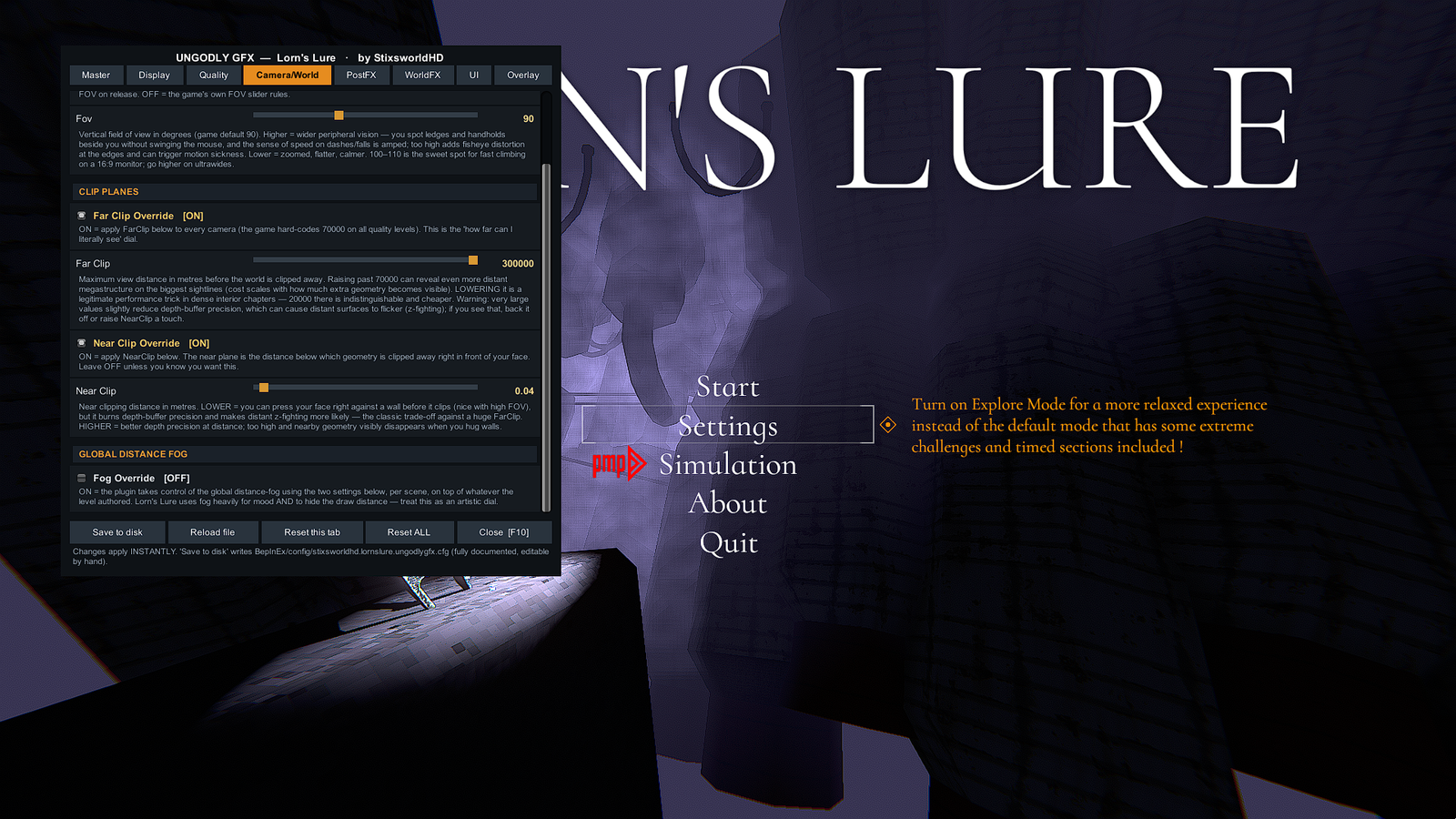
Texture filtering, render scale, real anti-aliasing choices, every PostProcessing v2 effect, both of the game’s ambient-occlusion systems, god rays, fog, shadows, FOV, frame pacing, HUD and menu scaling, and a clean sharpening pass built from a shader the game already ships. Everything is live-tunable from a solid, readable in-game menu opened with F10 — no restarts, ever.
This site walks the whole route: installing the BepInEx 5 loader, dropping in the plugin, proving it loaded, and tuning it to your taste. Every screenshot on these pages was taken on a real, working install — click any of them to view the original full size.
The route — four chapters, about five minutes
LornsLure.exe, run the game once. Done.
Install the loader →
03
Install UngodlyGFX
The archive is already shaped like your game folder. One DLL lands in plugins.
Drop it in →
04
First launch
Two lines in one log file prove everything. Then press F10.
Verify it →
What you get
Anisotropic filtering, un-broken
The game disables AF unconditionally, turning ground and wall textures to mush at grazing angles. UngodlyGFX re-enables it and forces up to x16 — effectively free on any GPU from the last decade, and the single biggest image-quality win in the game.
A real FPS cap and render scale
The game’s “600” setting actually means uncapped — this gives you a true cap plus a VSync override, and a 25–200% render scale done as a proper camera-target resize. The HUD stays native-res crisp either way.
Every PostProcessing v2 effect
Off / FXAA / SMAA / TAA (the game’s menu says “MSAA” — it’s actually SMAA), plus bloom, AO, color grading, vignette, chromatic aberration, motion blur, grain, auto-exposure, depth of field and SSR — each one: game default, force on, or force off, with full parameter tweaking.
The game’s own scene systems
Amplify Occlusion and SSSAO fully exposed, god rays on/off, fog-volume downsampling as a real performance lever, an accessibility kill switch for the heavy screen-glitch shader, and the Ungodly Sharpen pass built from a shader the game already ships.
HUD and menus, your size
Independent HUD and menu scale from 0.5x to 2x, HUD opacity, optional pixel-perfect UI, and an exclusion list if you ever want a specific canvas left alone. The HUD canvas is auto-detected.
An overlay that earns its place
F9 shows FPS and frametime — written allocation-shy so it won’t cause the stutter it measures — plus a live readout of every override currently active: resolution, VSync, cap, AF, shadows, AA mode.
The menu, in place