Route 04 · Installation Guide for Lorn's Lure
FIRST LAUNCH
Prove it loaded before you touch a single setting. Two lines in one log file tell you everything.
Launch the game
Start Lorn’s Lure through Steam as usual. Reaching the main menu is all it takes — by then, BepInEx has found the DLL, the plugin has hooked the game, and its config file has been written. Expect the game to look identical to vanilla at this point: the plugin’s default philosophy is that free wins (like anisotropic filtering x16) are on out of the box, while anything with a real cost or a strong artistic opinion ships off until you ask for it.
Read the two lines that prove everything
Open Lorn's Lure\BepInEx\LogOutput.log in Notepad (quit the game first, or
just view it — either works). A healthy load contains these lines:
[Info   :   BepInEx] Loading [UngodlyGFX (Lorn's Lure) 1.0.2]
[Info   :UngodlyGFX (Lorn's Lure)] UngodlyGFX (Lorn's Lure) v1.0.2 loaded. Menu key: F10  |  Overlay key: F9 ... by StixsworldHD (StixsmasterHD4k)
[Info   :UngodlyGFX (Lorn's Lure)] Harmony: 34 patches applied.
The line to care about is the last one: Harmony: 34 patches applied.
with nothing skipped means every hook — FOV, cameras, glitch suppression, the anisotropic
filtering fix, all of it — bound cleanly to this build of the game.
The config file appears
That first load also writes the plugin’s configuration to
BepInEx\config\stixsworldhd.lornslure.ungodlygfx.cfg — around 53 KB of fully documented
settings, sitting next to BepInEx’s own BepInEx.cfg:

BepInEx\config holds two files: the loader’s BepInEx.cfg and the plugin’s stixsworldhd.lornslure.ungodlygfx.cfg — 53 KB because every setting carries the same gamer-friendly explanation you see in the menu, with min/max ranges stated.You never have to open it — the in-game menu edits the same values live — but hand-editing is fully supported and covered in chapter 05.
Press F10
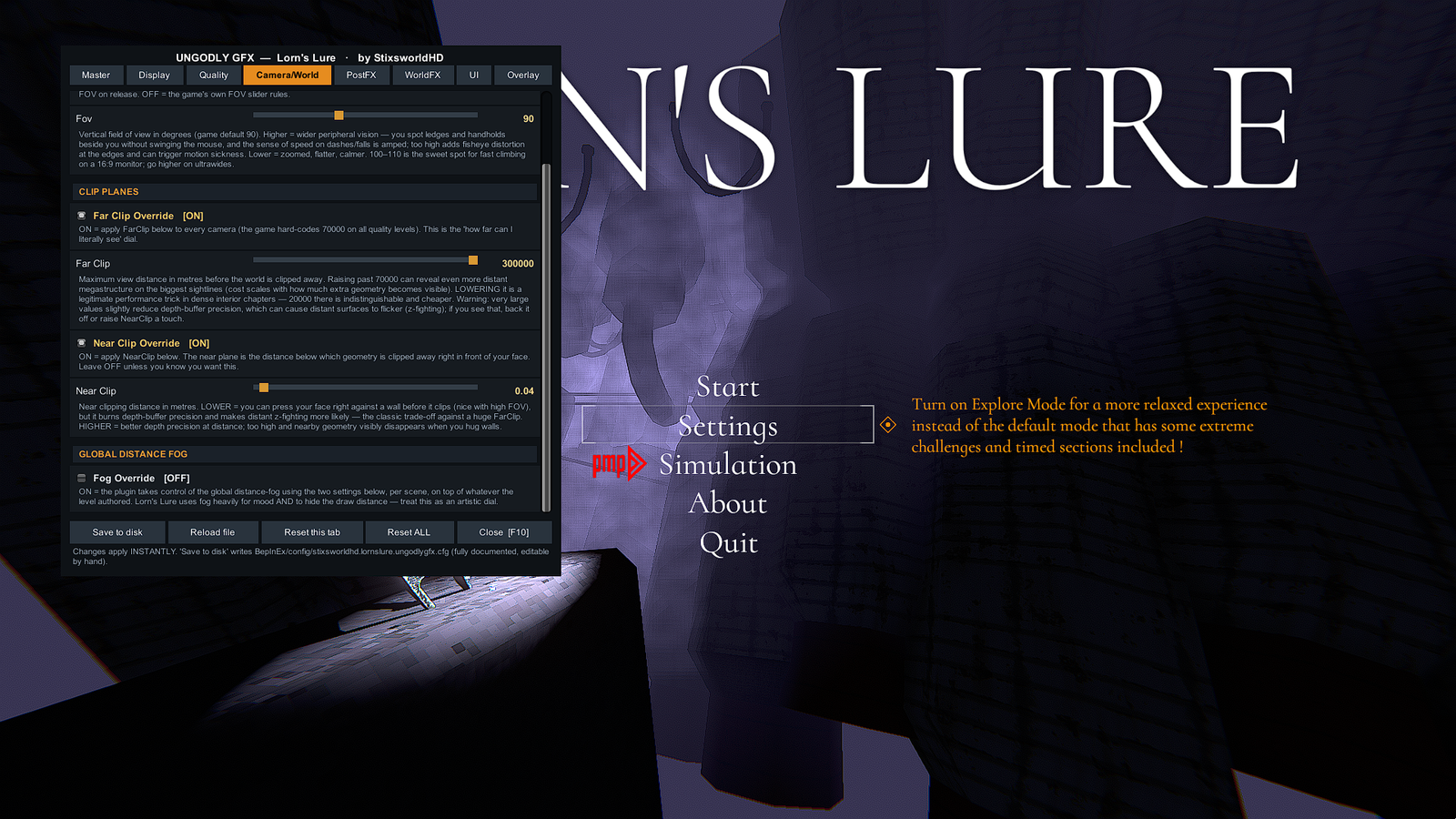
In-game (main menu or mid-climb, both work), press F10. The UngodlyGFX menu opens on a solid, readable panel — eight tabs, every setting live-applied. Press F9 and the diagnostic overlay appears with FPS, frametime and a readout of every active override. While the menu is open the game pauses and mouselook freezes, exactly like the game’s own pause menu.
The full-route checklist
Four folders, four screenshots — this is the complete, known-good end state of the install, exactly as captured on the reference machine:
| Location | Must contain |
|---|---|
Lorn's Lure\ | winhttp.dll, doorstop_config.ini, .doorstop_version, changelog.txt, BepInEx\ — all beside LornsLure.exe |
BepInEx\ | cache, config, core, patchers, plugins, LogOutput.log |
BepInEx\plugins\ | StixsworldHD.LornsLure.UngodlyGFX.dll |
BepInEx\config\ | BepInEx.cfg and stixsworldhd.lornslure.ungodlygfx.cfg |